Cloudflare ZeroTrust
Cloudflare ZeroTrust is a powerful, free, and flexible tool that can be used to protect your Remnawave panel.
Requirements
- Register an account with Cloudflare
- Purchase your own domain and link it to Cloudflare
- Have a payment card to attach to Cloudflare (any card will do, even with a zero balance, as long as it can be added). Once added, you’ll have access to the free Zero Trust plan.
Instructions
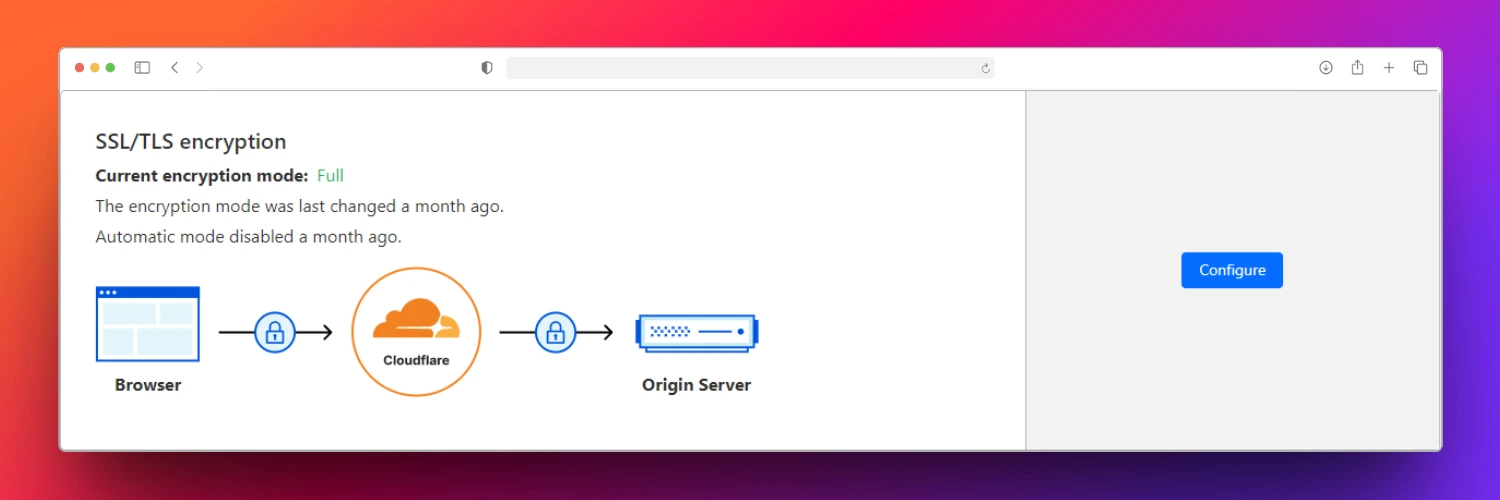
The first thing we need to do after adding the domain is enable SSL Strict:
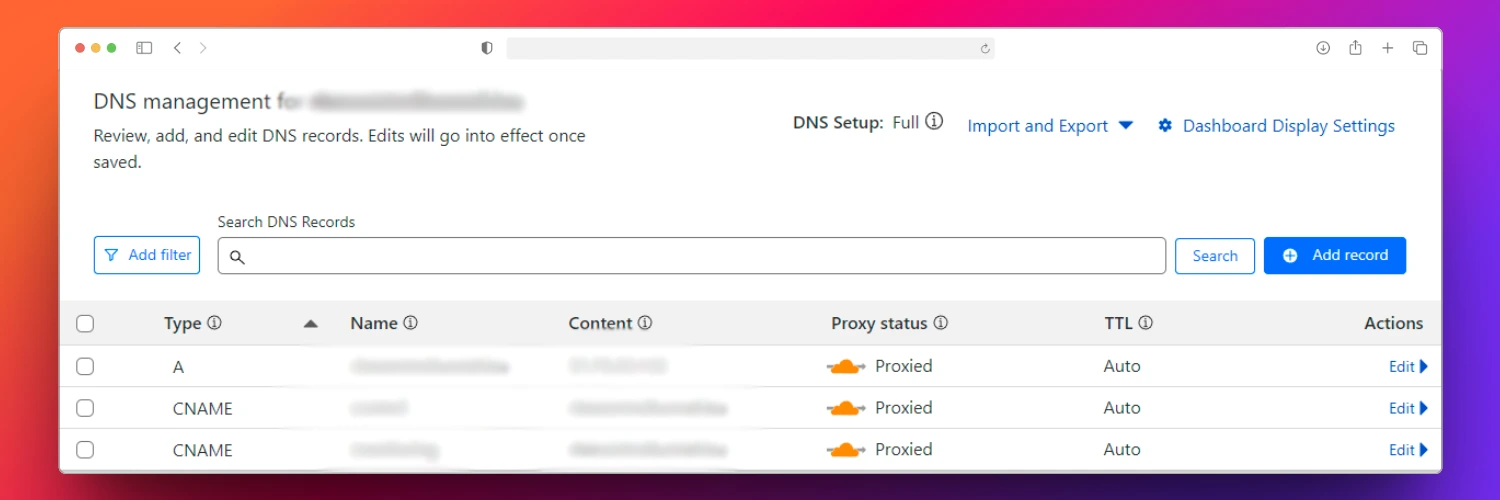
Next, we need to enable Proxied mode:
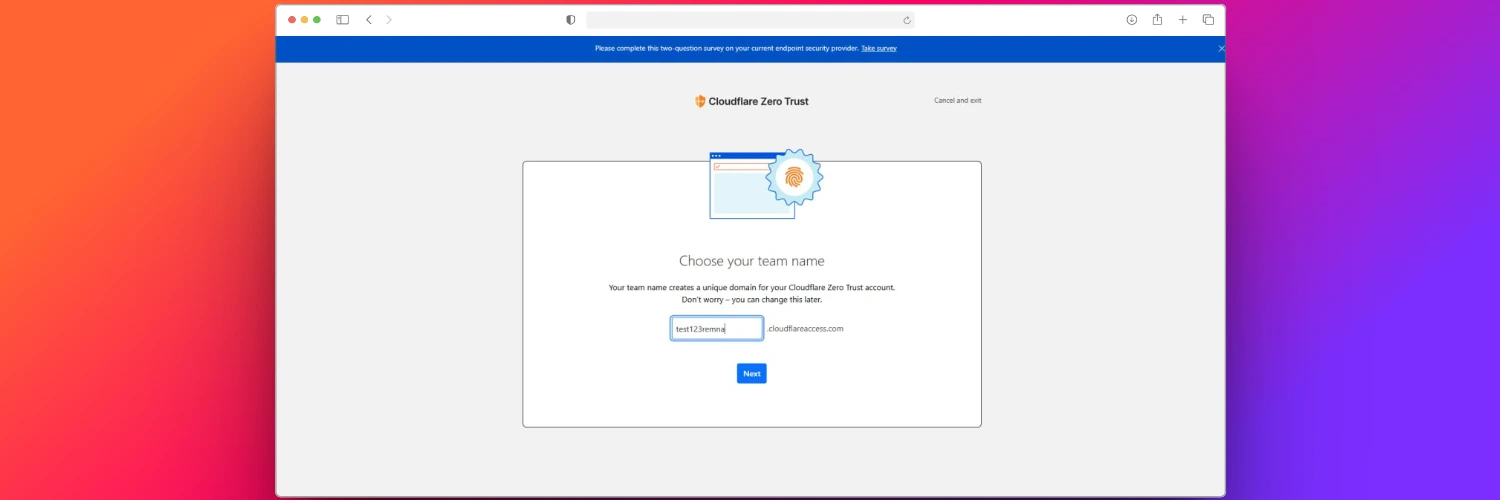
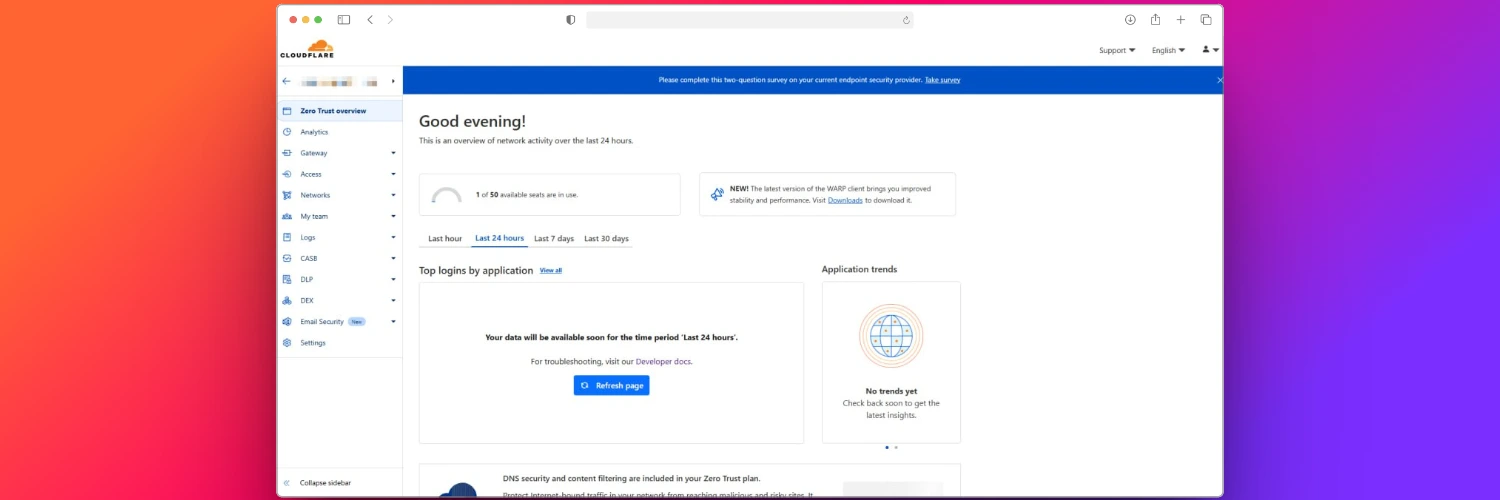
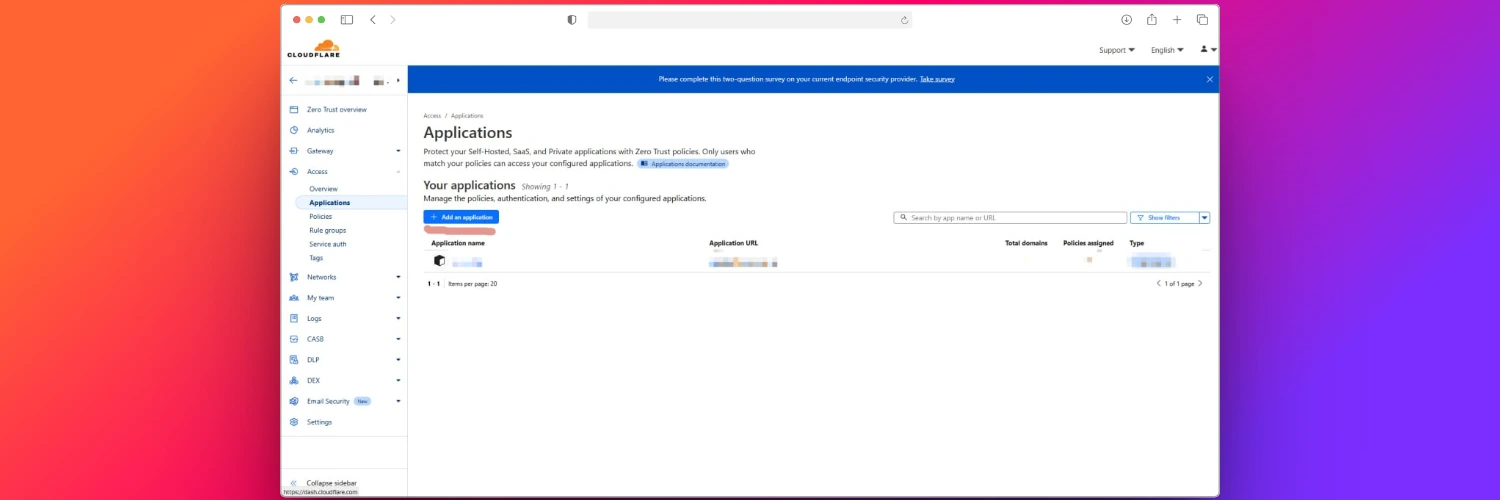
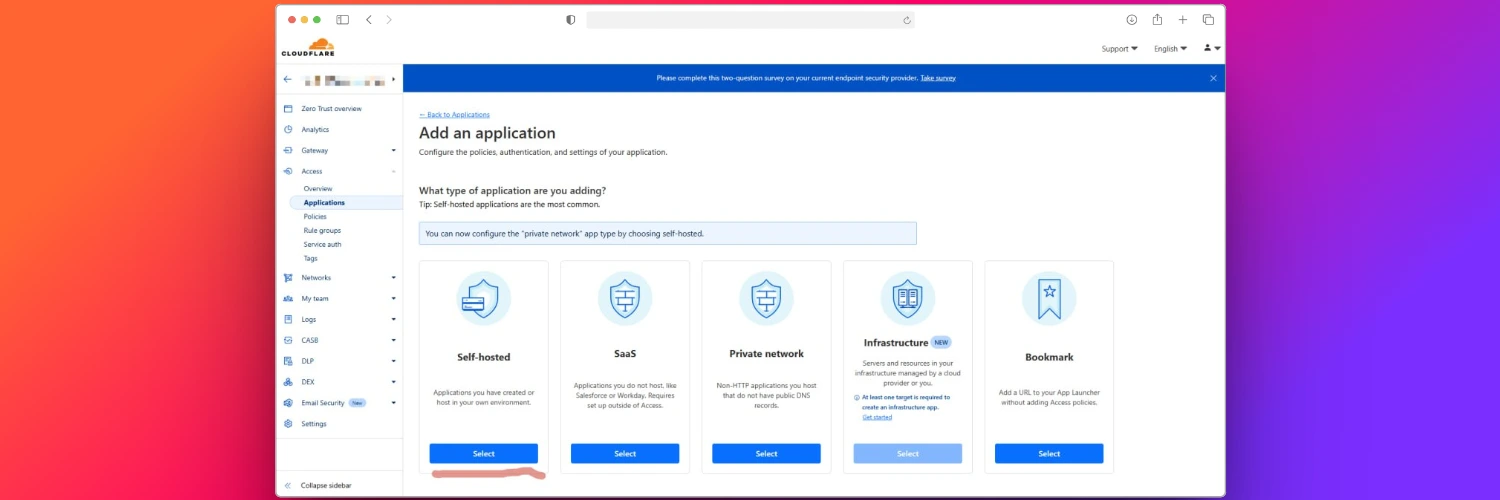
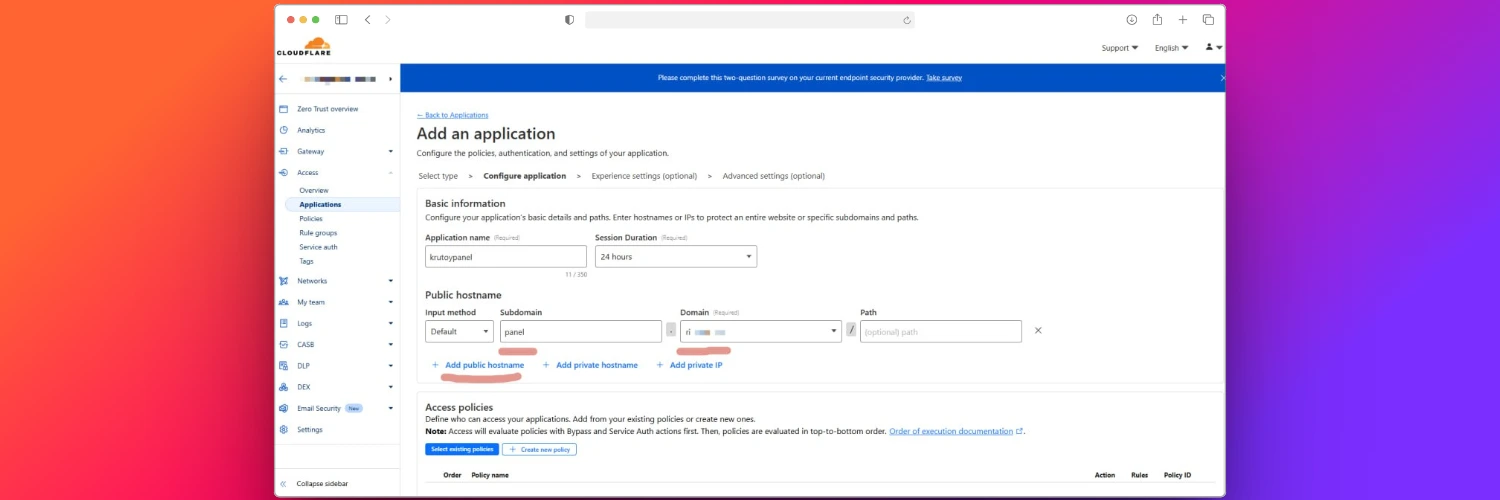
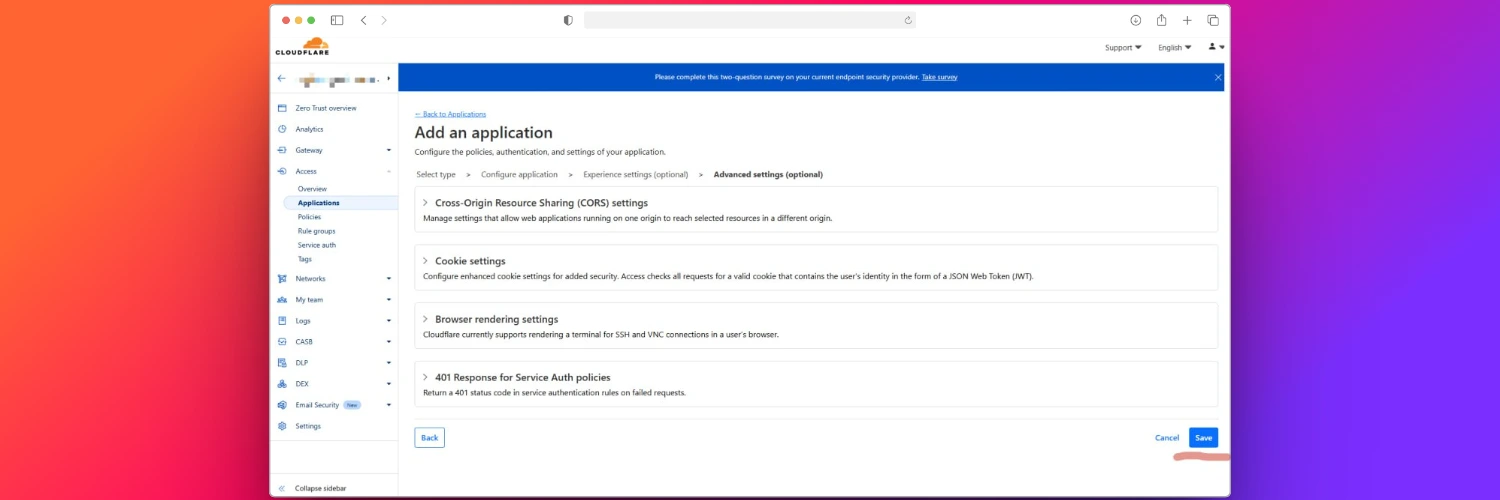
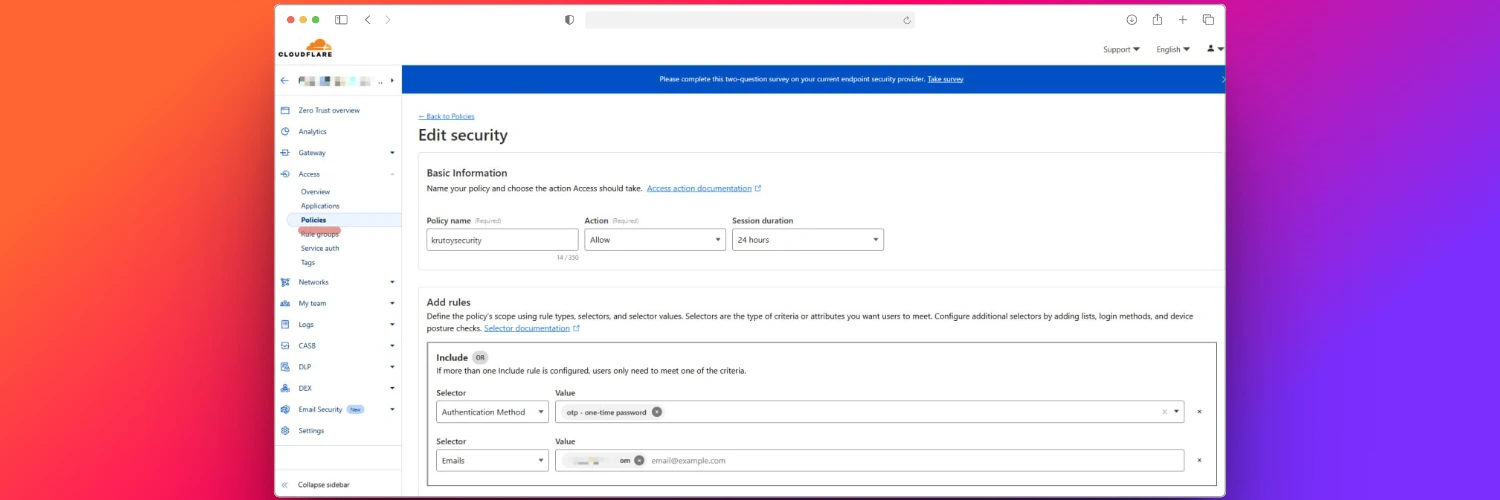
Go to https://one.dash.cloudflare.com and select your account. Then follow the steps shown in the images below:
danger
After adding the security settings in step 7, go to Access → Applications, click the three dots next to your application (Edit) → Policies → Select existing policies on left side center, and choose your policy.
Congratulations! You’ve successfully locked down your panel from the outside world!